Skip to content
MARINE EXPERTISE. INTERNATIONAL STANDARDS.
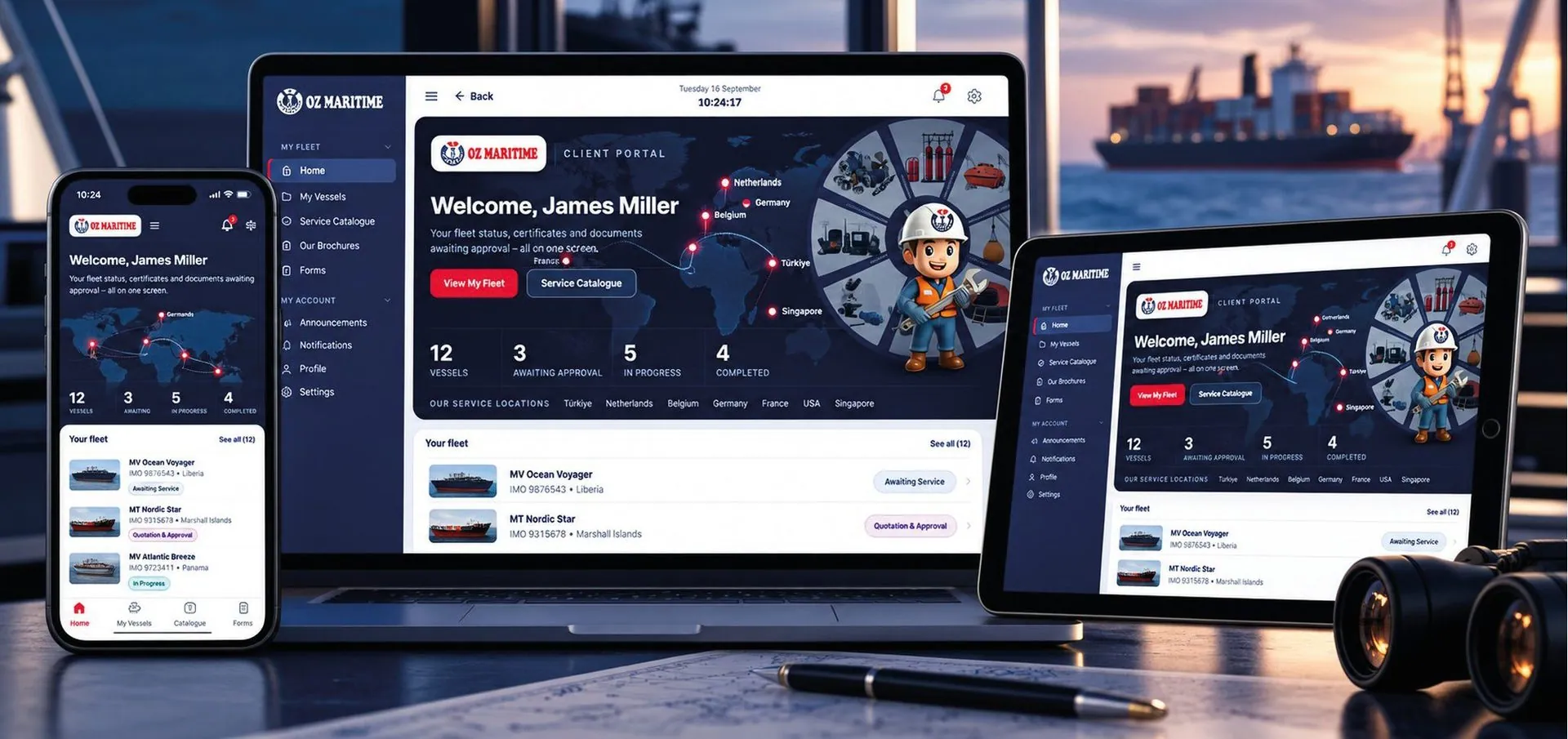
OZ Maritime Customer Portal
Home›Customer Portal
FINN BY OZ MARITIME / CUSTOMER PORTAL

Less e-mail.
More certainty.

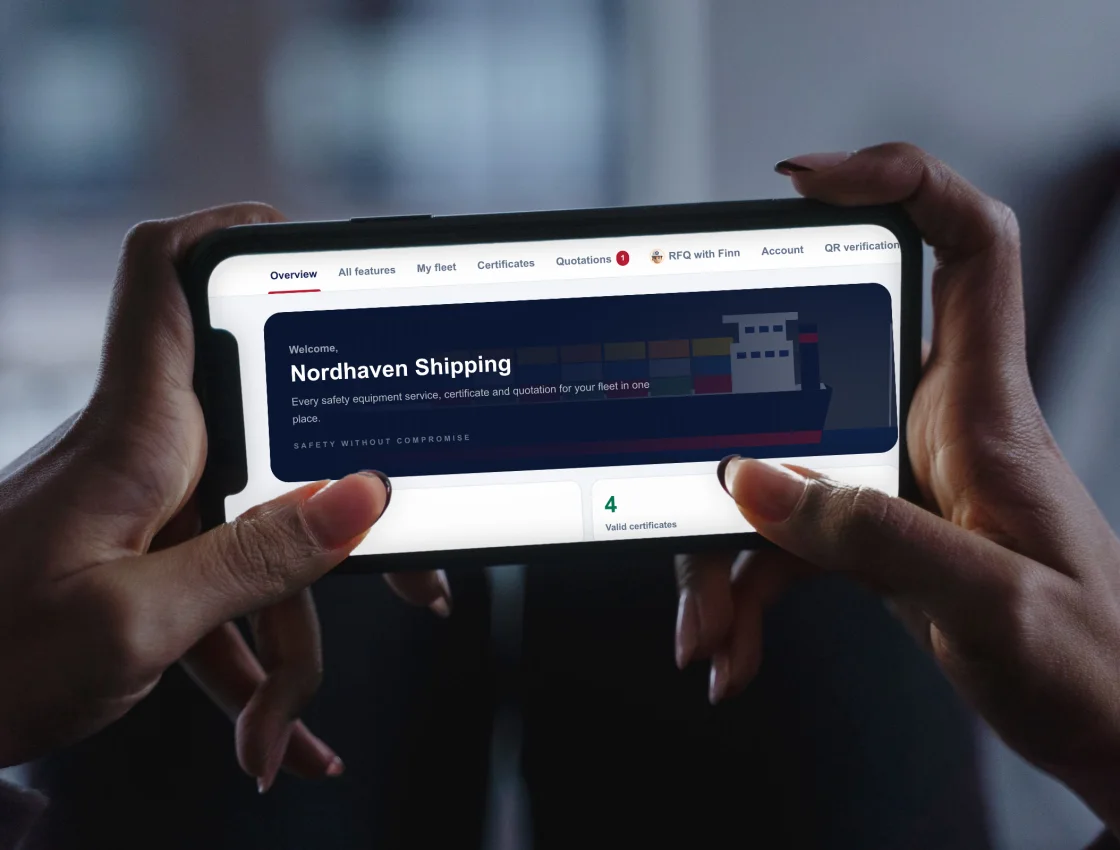
Everything OZ Maritime does for your fleet, in one place: every certificate and its expiry date, each service as it happens, quotations, invoices and the documents an inspector asks for.

Your office sees the whole fleet. Masters see their own vessel on a phone, even at sea. Existing customers sign in with the account details from their coordinator.

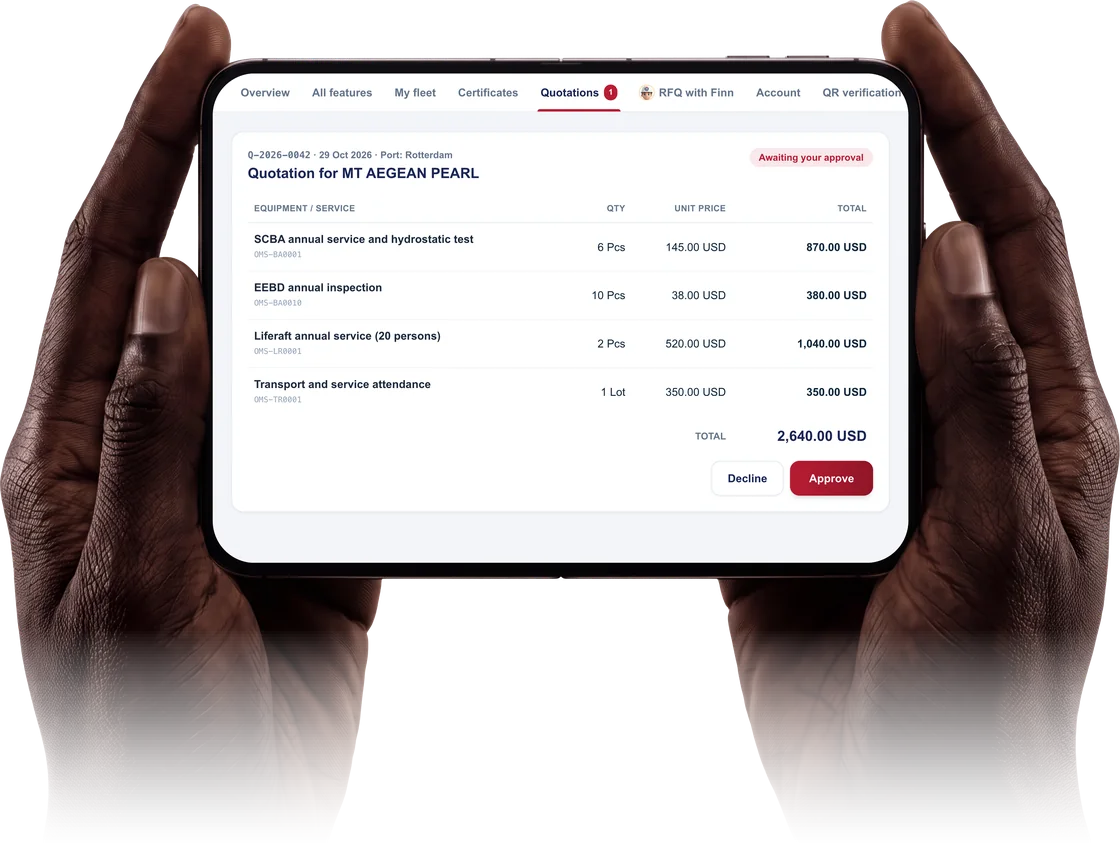
Finn overview of the demo fleet on a phone held in two hands
8
languages in the portal
24/7
duty line, one button away
QR
verification on every certificate
AI
assistant, built in
WHAT THE PORTAL DOES FOR YOU

Six things that change in your week.

Never miss an expiry in Finn
MODULE 01 / EXPIRY

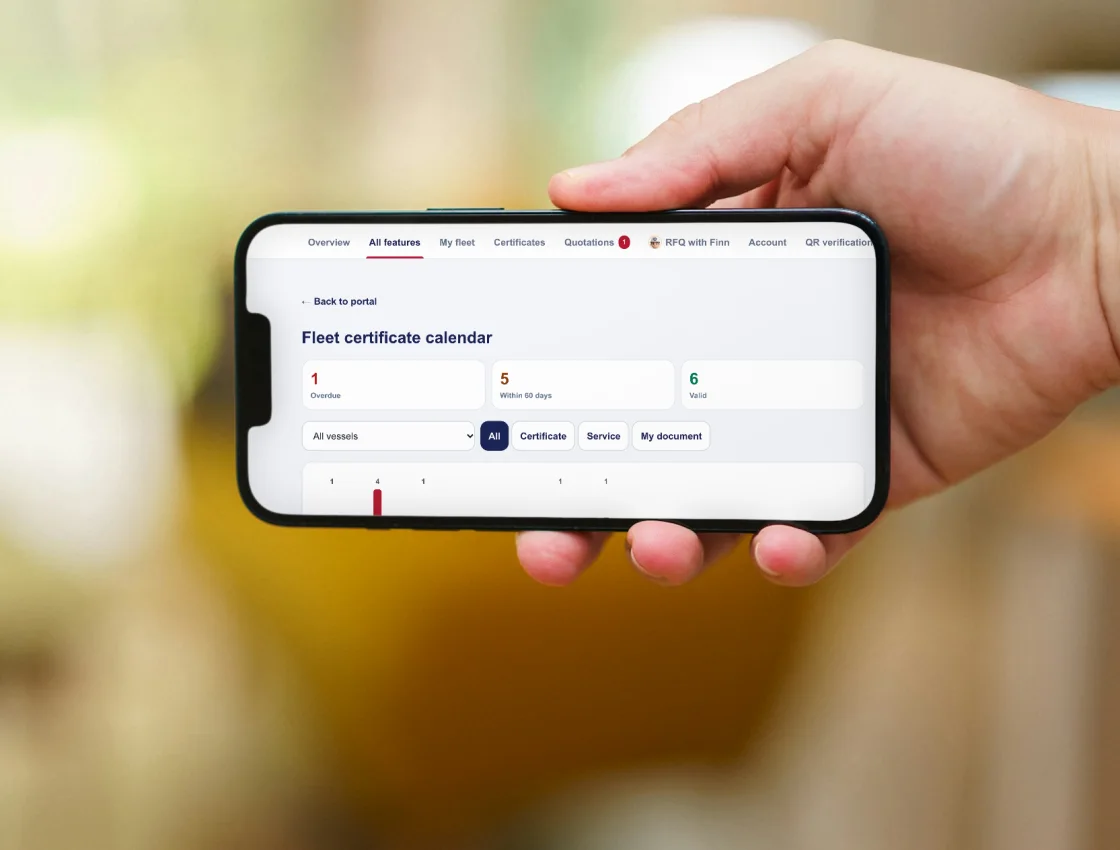
Never miss an expiry

One calendar for every certificate and service date across the fleet, with reminders before anything runs out.

  • Fleet calendar: overdue, due within 60 days, valid
  • Reminders 90, 60, 30, 14, 7 and 1 day before, in the app and by e-mail
  • Dates appear in Outlook, Google or iPhone calendar
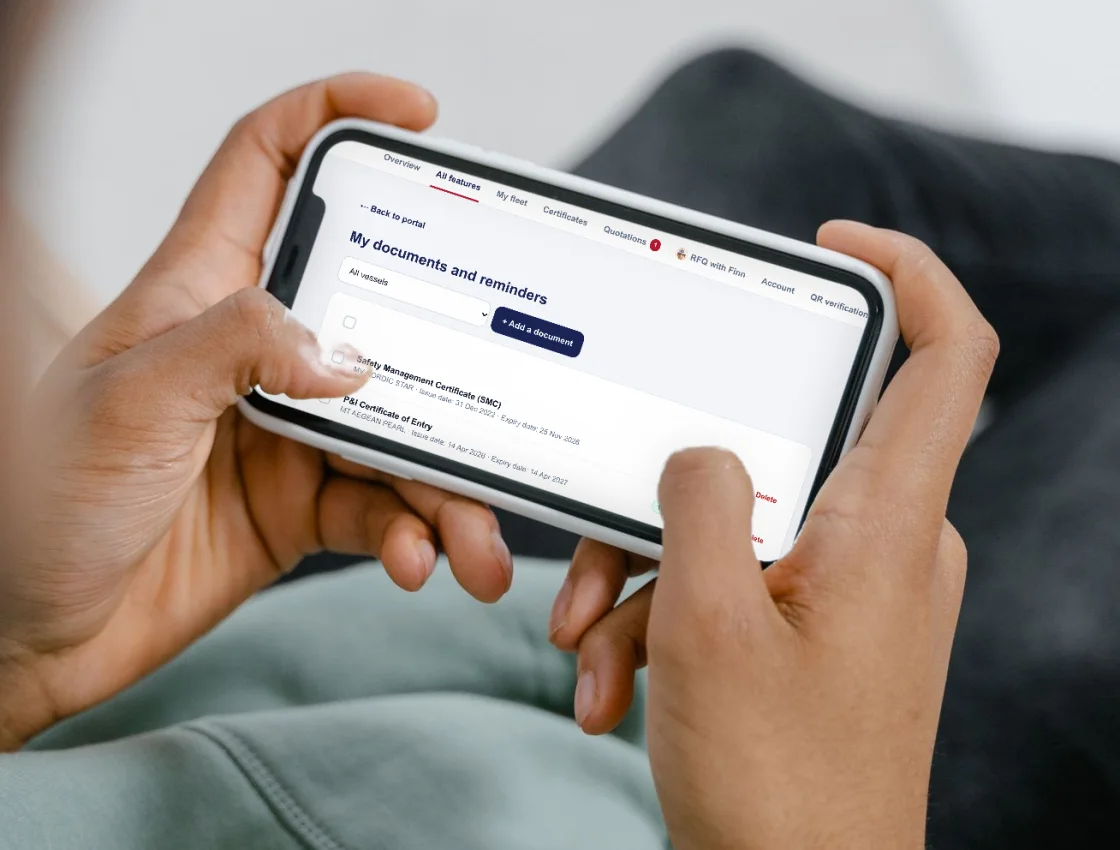
  • Your own vessel documents with your own reminders
  • Monthly fleet summary and next year's budget forecast
See every job as it happens in Finn
MODULE 02 / LIVE SERVICE

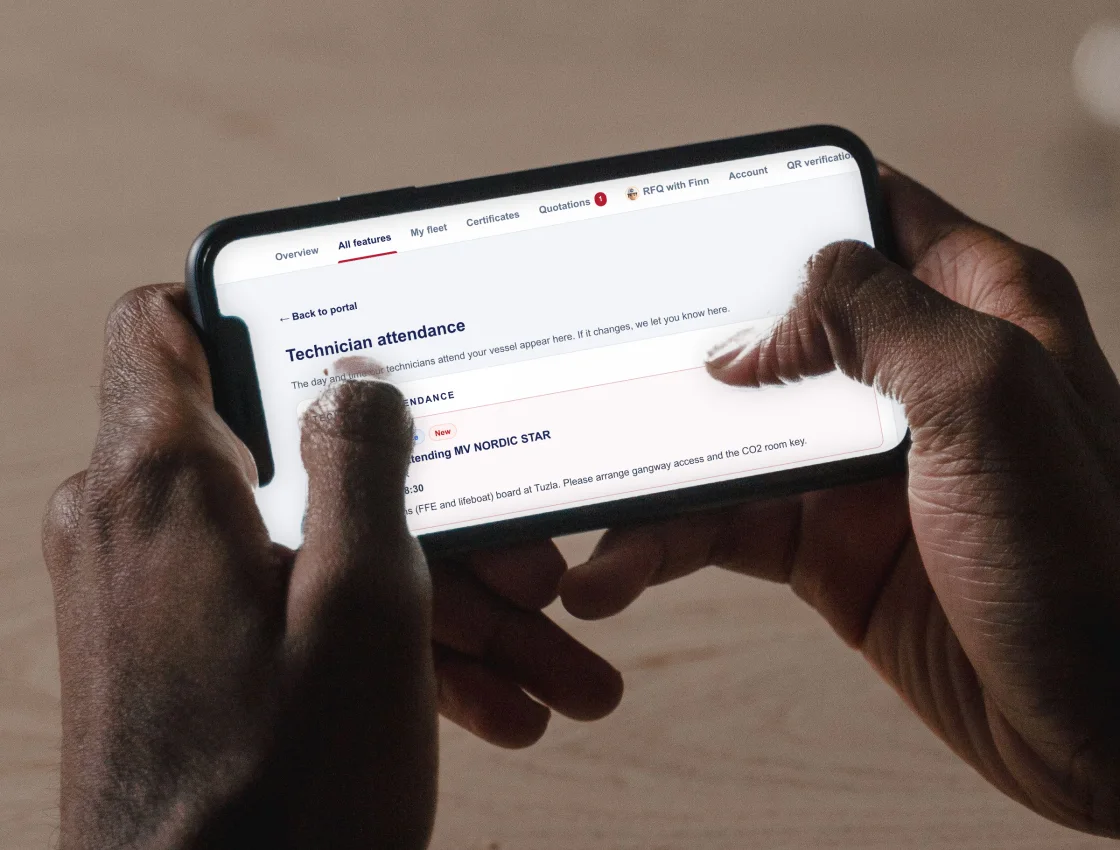
See every job as it happens

Know who is coming on board, when the work is done and what was found, without chasing anyone.

  • Technician attendance: day and time, and any change
  • Service completed notice with a short summary
  • Critical findings reported at once, not with the final report
  • Key photos from the job
  • Equipment inventory and an annual service report per fleet
Request to invoice, without the e-mail chain in Finn
MODULE 03 / COMMERCIAL

Request to invoice, without the e-mail chain

Ask for a quotation in one tap, approve it with your PO number and keep every invoice in view.

  • Quotation request in one tap, or let Finn build the list from your old certificates
  • Approve online with your PO number; revisions show exactly what changed
  • Repeat last year's order for the same or another vessel
  • Invoices: paid, due and overdue, with totals per currency
  • Download invoices as one file, ask about any invoice in place
Made for the ship, not only the office in Finn
MODULE 04 / ON BOARD

Made for the ship, not only the office

The master and officers get their own vessel's file on a phone, and it keeps working at sea.

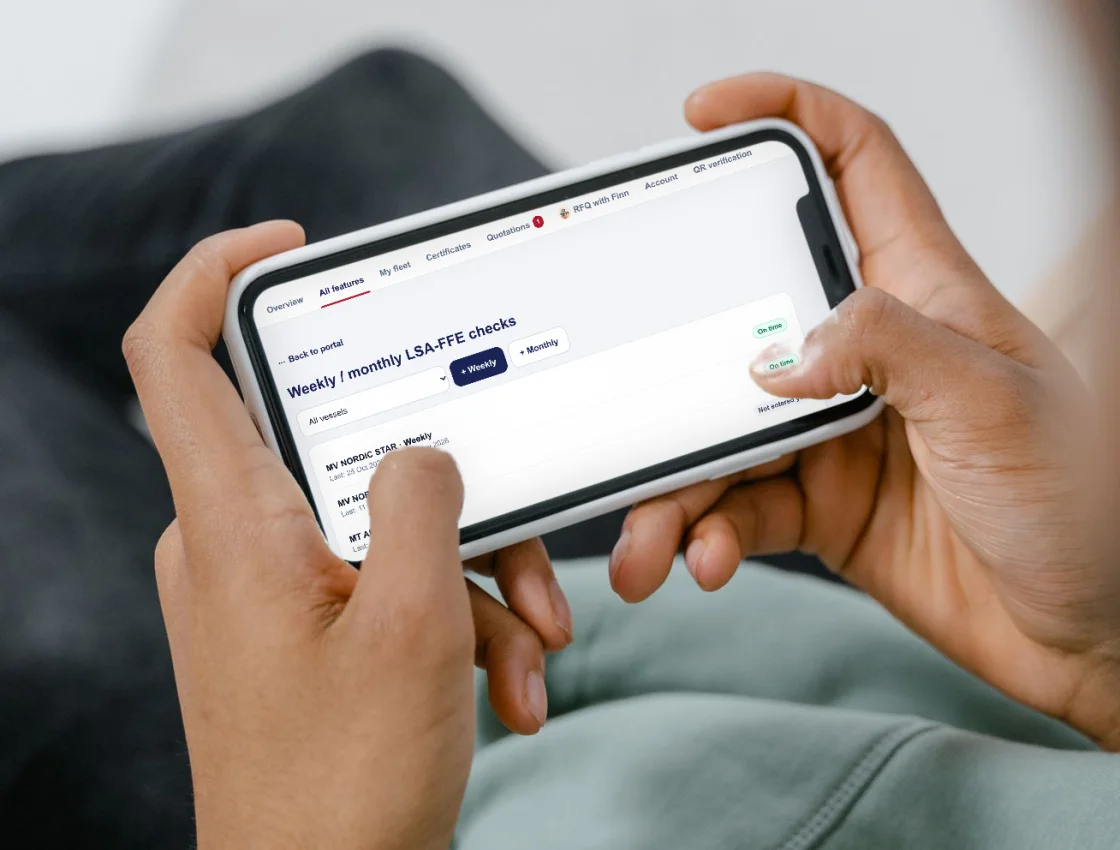
  • Weekly and monthly LSA-FFE checks on a phone, with a dated record
  • Defect report with a photo, straight to the vessel's OZ Maritime contact
  • Next ports and ETA, so we plan the service around your route
  • Works offline: entries are sent when the connection returns
  • Messages per vessel and a 24/7 emergency button
Ready when the inspector boards in Finn
MODULE 05 / INSPECTION

Ready when the inspector boards

Genuine certificates that can be checked in seconds, and the supporting documents to hand.

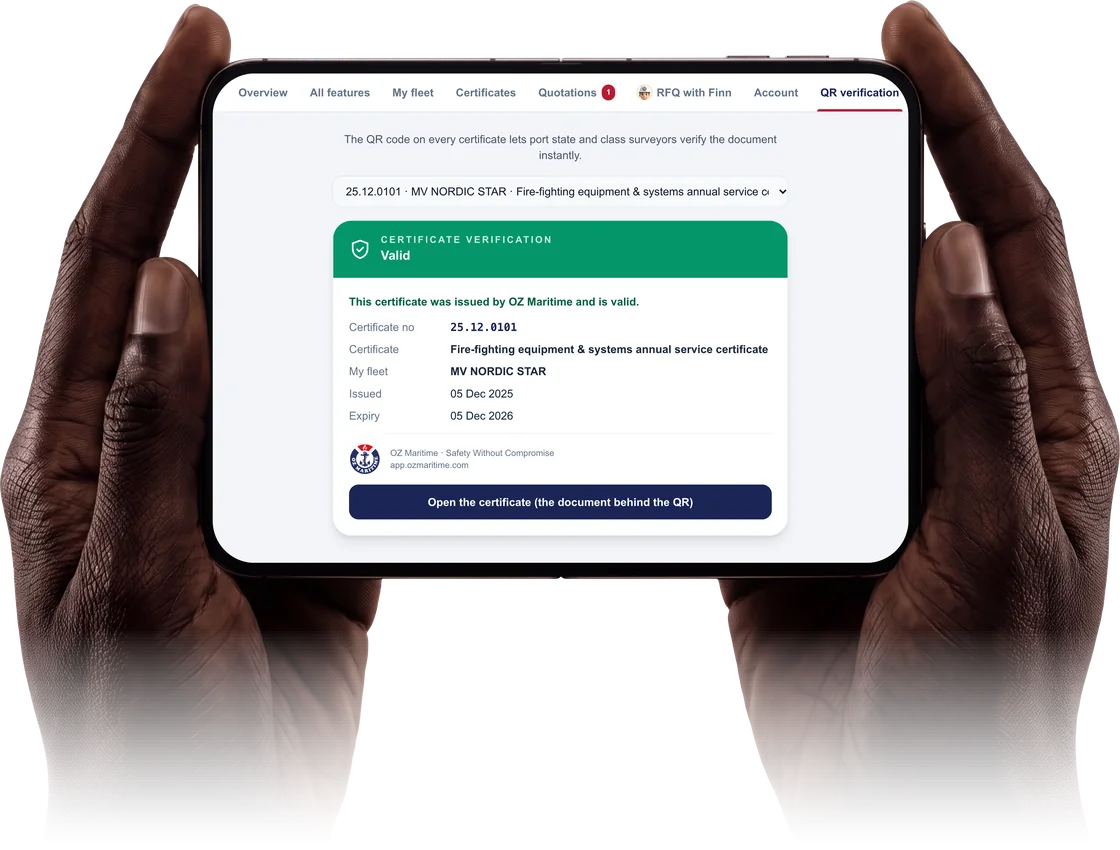
  • A QR code on every certificate proves it is genuine
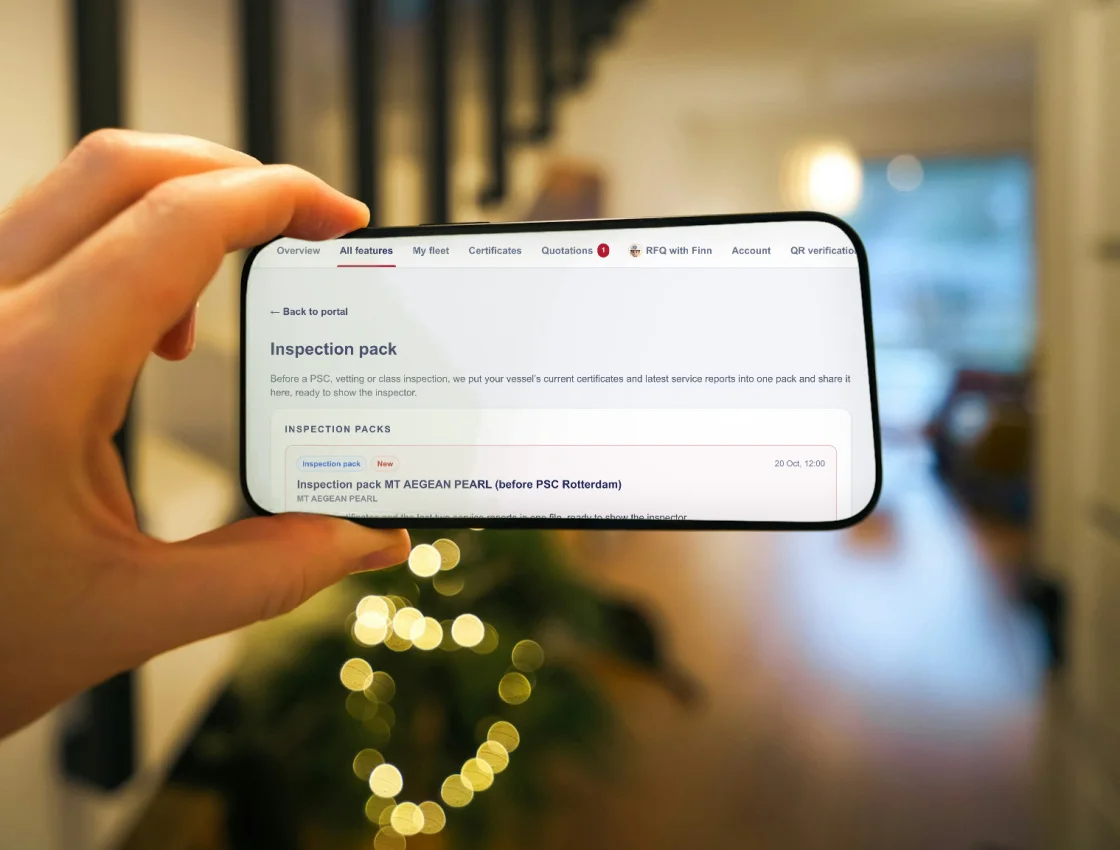
  • Inspection pack: current certificates and latest reports in one PDF
  • Send a PSC or vetting deficiency report, see which items we can close and when
  • Our approvals, technician qualifications and calibration certificates
  • Whole vessel file in one download; full approval history
Your company, your rules in Finn
MODULE 06 / CONTROL

Your company, your rules

You decide who sees which ship. Your data stays yours.

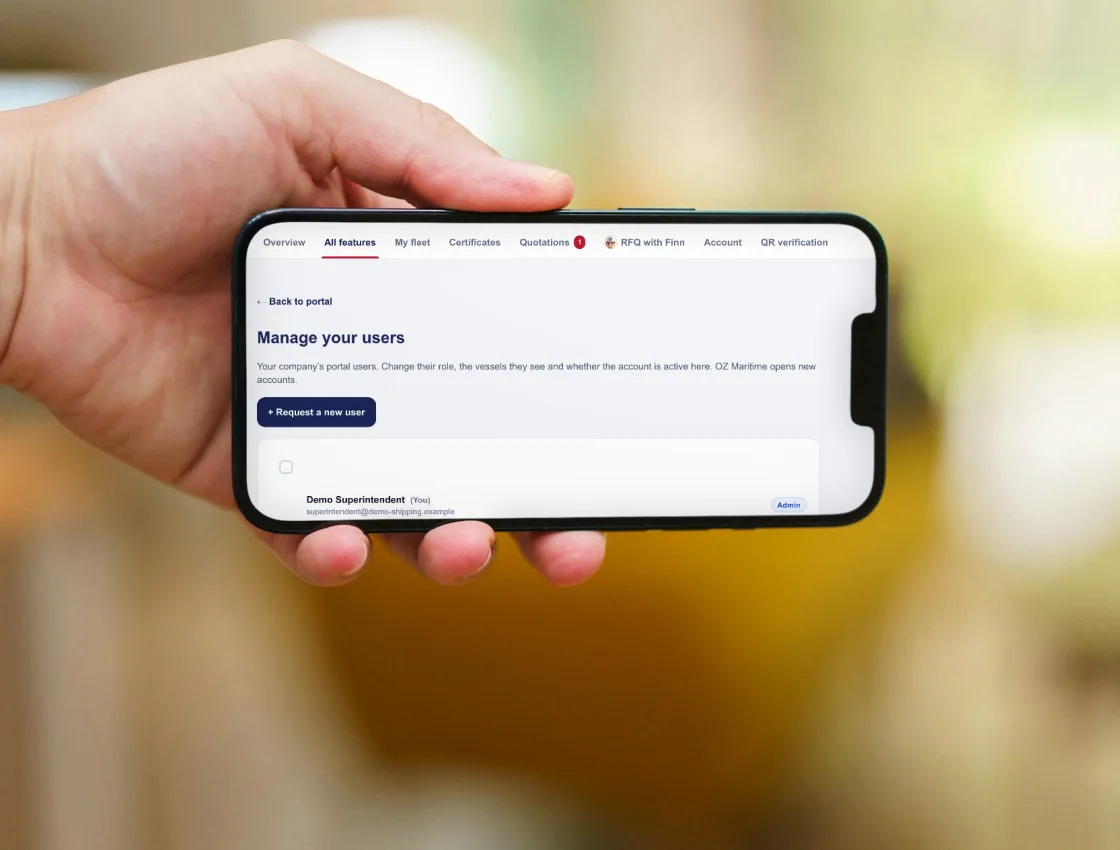
  • Office, ship and administrator roles; choose who sees which vessel
  • Two-step sign-in for portal administrators and ship users
  • Your company sees only its own vessels and documents
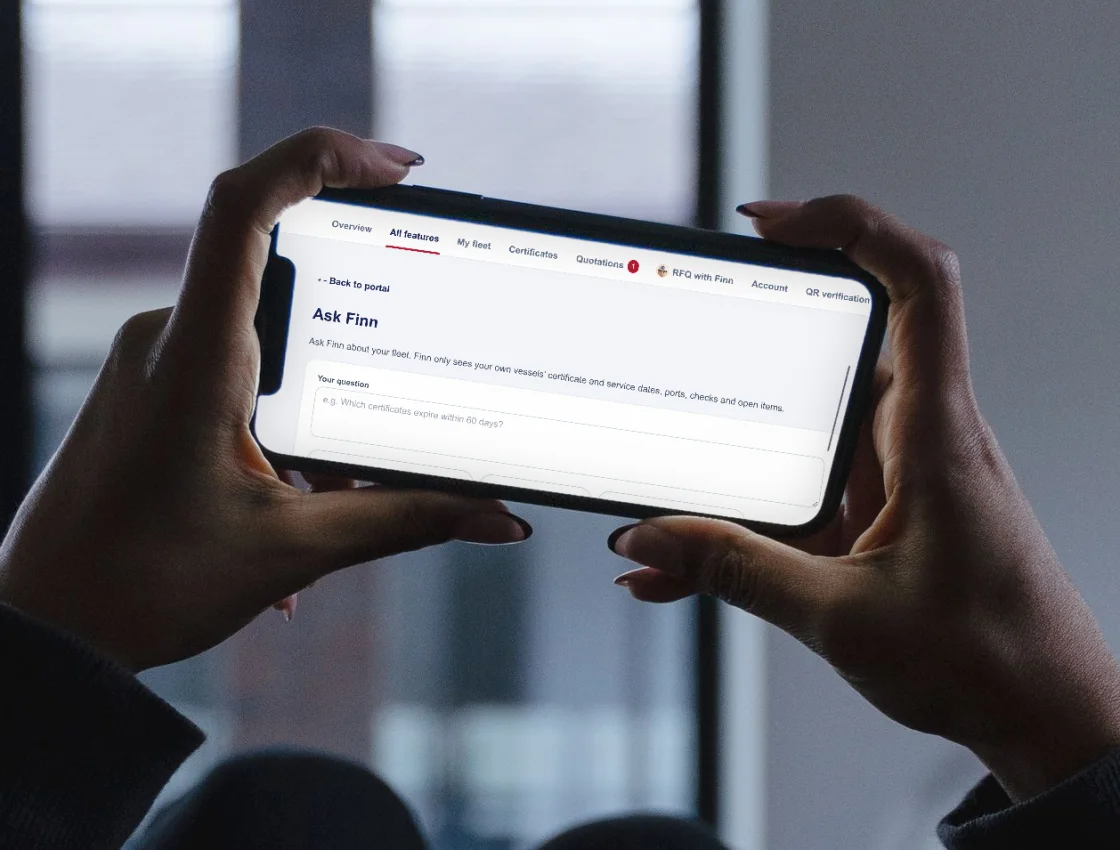
  • Ask Finn about your fleet in plain language
  • Eight languages: EN, TR, NL, DE, FR, ES, IT, EL

Screens show the OZ Maritime demo fleet. No customer data is shown.

AI BUILT IN

Meet Finn,
your fleet assistant.

Finn is also an AI assistant. Ask about your fleet in plain language, or hand it your old certificates and let it prepare the quotation request.

Ask Finn about your fleet
ASK

Questions in plain language

"Which certificates expire within 60 days?" Finn answers from your own vessels' dates, ports, checks and open items.

READ

Old certificates in, RFQ out

Upload previous certificates, a survey report or your equipment list. Finn lists the services from the OZ Maritime catalogue for you to check and send.

PRIVATE

Private by design

Finn sees only your company's vessels and shows no prices. Questions and answers are not stored; uploaded documents are read, not kept.

BEYOND OUR SERVICES / YOUR SHIP OFFICE

Not only what we do.
Everything you keep, too.

Finn is also your own workspace. Keep the vessel's other papers, run the checks on board and reach us from the same place, whether or not we serviced the item.

My documents and reminders in Finn

Your own documents

Upload any vessel document, such as class, flag or PSC papers, as a PDF or photo, with its issue and expiry date. Set your own reminders.

Weekly and monthly checks

The crew mark each SOLAS LSA-FFE item on a phone. Every check is kept as a dated record.

Defects and PSC findings

Report a defect with a photo, or send a PSC or vetting deficiency list. Our reply and the status show in the portal.

Ports and ETA

Enter the next ports and dates. We plan the service while the vessel is in port.

Your team, your rules

Add your own users, choose who sees which vessel, and close an account at any time.

Dates in your calendar

Expiry and service dates in Outlook, Google Calendar or iPhone, updated every day.

Everything in one download

Certificates, reports and quotations as one ZIP, with a folder per vessel.

Works at sea

Screens open without internet. Entries are sent when the connection returns.

ONE PORTAL / FOUR READERS

Everyone sees what their job needs.

Superintendents and fleet managers

The safety equipment status of the whole fleet on one screen, and every job on board followed without chasing anyone.

Masters and officers

Your own vessel's file on a phone. It keeps working at sea, and one button reaches our duty team at any hour.

Purchasing and accounts

From quotation request to paid invoice in one place, with your PO number on every step.

HSQE and inspections

Proof for the inspector in seconds, and the records behind every certificate when someone asks for them.

Certificate QR verification in Finn
FOR SURVEYORS / PORT STATE CONTROL

Scan the certificate.
See that it is genuine.

Every OZ Maritime certificate carries a QR code. Scanning it opens the verification page with the certificate number, vessel and dates, straight from our records.

  1. 01Scan the QR code
  2. 02Check number, vessel, dates
  3. 03Open the issued document

Before a PSC, vetting or class inspection we can share an inspection pack: the vessel's current certificates and latest service reports in one PDF.

SECURITY / DATA

Built so your data stays yours.

Your data only

Each company sees only its own vessels, documents and users. The lock sits on the server and in the database.

Two-step sign-in

Portal administrators and ship users cannot open the portal without two-step verification.

Nothing sent by itself

Photos, notices, packs and summaries prepared by OZ Maritime reach you only after the vessel's OZ Maritime contact approves them. A share can be withdrawn.

Private files

Uploads are checked (PDF and images only, size limit) and kept in private storage. Downloads use links that expire within minutes.

INTERNATIONAL

One portal. Eight languages.
Two service bases.

Your office and your crews choose their own language. Certificates, service reports and official documents stay in English, as inspectors expect.

ENEnglishTRTürkçeNLNederlandsDEDeutschFRFrançaisESEspañolITItalianoELΕλληνικά
HEAD OFFICE

Türkiye

+90 216 591 07 39

EUROPEAN OFFICE

Europe

+31 164 313 000

SERVICE NETWORK

Türkiye · Europe

Member of BIMCO

QUESTIONS

What customers ask first.

Take it with youFinn by OZ Maritime brochureFour pages: what the portal does for the office, the ship and the inspector. PDF ↓
We already have a planned maintenance system.

Finn does not replace it. It holds what OZ Maritime does for your fleet: certificates, reports, quotations and invoices. Dates go to your calendar and files download as ZIP.

Is our data safe?

Your company sees only its own data, administrators and ship users sign in with two-step verification, and files are private. A one-page security note is available.

Our ships often have no internet.

The portal keeps the last data on the phone. Checks, port calls, defects and messages entered at sea are sent when the connection returns.

Not all of our crew read English well.

The portal works in eight languages. Certificates and reports stay in English, as inspectors expect.

Who at OZ Maritime sees our information?

The OZ Maritime contact of each vessel and our management. Anything we prepare for you is approved by that contact before you see it.

GETTING ACCESS

Open the portal
for your fleet.

Ask for access or a demo. We open the accounts for your office and vessels and link your existing documents to the right folders.

Include your name, company and vessel names so the team can identify the relevant account. A short online walkthrough for your office, and for the masters if you wish, follows.

Planning a port call?

Discuss your next attendance.

Send your vessel details, port and service requirements to start a new enquiry.

LET’S PLAN YOUR NEXT PORT CALL

Your vessel. Our commitment.

Tell us where you are heading. We will take it from there.

Talk to our team

Your enquiry is ready to review.

Nothing has been sent. Open your email app or copy these details and send them to [email protected]. Attach supporting documents in your email.

Open email app

OZ MARITIME

Privacy preferences

Choose whether this website may load external maps. Your choice does not affect the service pages or port directory.

Essential preferences

Always active

Local browser storage remembers your choice for up to 180 days. If storage is unavailable, it applies to this page only.

Allow map images to load from OpenStreetMap. The provider receives your IP address and map requests. Switching this off removes loaded maps and stops further map-image requests.

No analytics or advertising trackers are installed, so there are no settings for those categories.

Read our cookie and storage policy